1. Introduction
1.1 What hakkas is
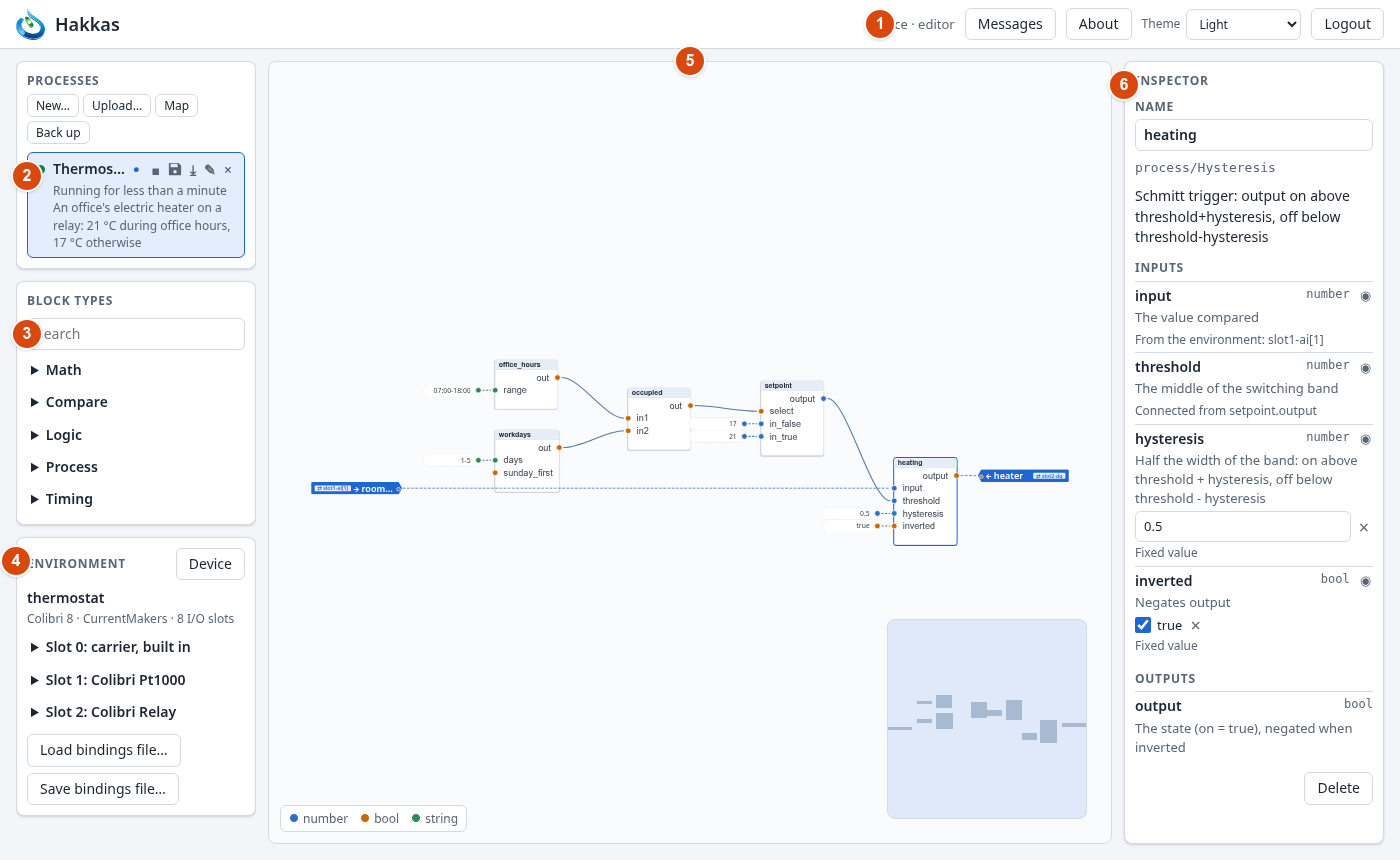
Hakkas is a runtime for control programs that are drawn rather than written. You place blocks — an adder, a comparator, a PID regulator, a week schedule — on a canvas and connect their outputs to other blocks' inputs. The resulting diagram is a process: a program that runs on a controller and drives real outputs from real inputs.
Three parts work together:
- The engine runs on the controller: a Colibri device, a Raspberry Pi, or your own desktop for development. It holds every process, runs them, and keeps them on its storage so they start again after a power cut.
- The environment is the controller's I/O: the input and output channels of its modules — temperatures, voltages, relays. Processes reach it through bindings.
- The browser is where you work. The controller serves the editor as a web page; there is nothing to install. Several people can have it open at once, and all of them see the same processes, changing as they change.
1.2 How it differs from a PLC you know
If you have programmed PLCs, most of what you see will be familiar — function blocks, wires between them, regulators, timers. A few things work differently, and they matter from the first block on:
- There is no compile and no download. Every change you make — a block added, a wire moved, a value changed — is sent to the controller and applied at once, also to a process that is running. What the editor shows is always what runs.
- There is no scan cycle. A block computes when one of its inputs changes, and its outputs travel on only if they have changed. Values flow through the diagram as events, in the order they arrive. Chapter 2 explains what that means for your programs.
- I/O is bound, not addressed. A process does not name
%IW3or a channel number. It has named ports —outdoor_temperature,heating_valve— and you bind each port to a channel of the controller. The same process runs on another controller after you bind its ports there. - The controller holds the truth. The browser never has its own copy to "download". When two people edit the same process, each sees the other's changes as they happen.
- Saving is a separate step. A change takes effect at once, but it is kept over a restart only once you save the process.
1.3 How to read this manual
The examples. The manual is built around three examples that grow in size: a thermostat with a schedule (Part II), a heating circuit (Part IV), and an air handling unit (Part V). The thermostat is built step by step, and is the best way to learn the editor. The other two show how larger control tasks are structured. All three run as they are against the Colibri emulator on your desktop (Appendix D), so you can try everything without hardware.
The parts. Part I gives you the concepts and a first look at the screen. Part III describes everything hakkas offers, chapter by chapter. Part VI collects design patterns, the reference of every block type, and the administration of a controller.
Coming from IEC 61131-3. Notes like this one compare hakkas with the IEC 61131-3 languages for readers who know them. You can skip them without missing anything.
Coming from IEC 61131-3
A hakkas process is closest to a program in the Function Block Diagram language (FBD), with every block an instance of a function block. Appendix A has a complete comparison.
Typography. Block names in a process are written as code: heating_regulator. Block types carry their family: process/PID, logic/And. Things you click are in italics: Upload…, Start. Channels are written as hakkas shows them: slot1-ai[2] is the second analog input of the module in slot 1.